What Does Your Purchase Include?
Two online stores advertise the same PC game.
One offers a DRM-free download. The other sells a Steam key.
Both may provide access to the same title, and the prices could be similar.
But the way you receive, install, and use the game can be different.
With a DRM-free release, you may be able to download a standalone installer and run the game without an account check each time you play.
With a Steam key, you typically redeem a code that adds a license for the specified product to your Steam account.
Neither approach is automatically better for every player.
The key is understanding what you're purchasing and which restrictions matter to you.
A Steam key is a method of activating a product on Steam. DRM-free describes the absence of digital rights management restrictions. They're not opposite categories.
That distinction can help you avoid confusion when shopping for indie games, older PC releases, and discounted game bundles.
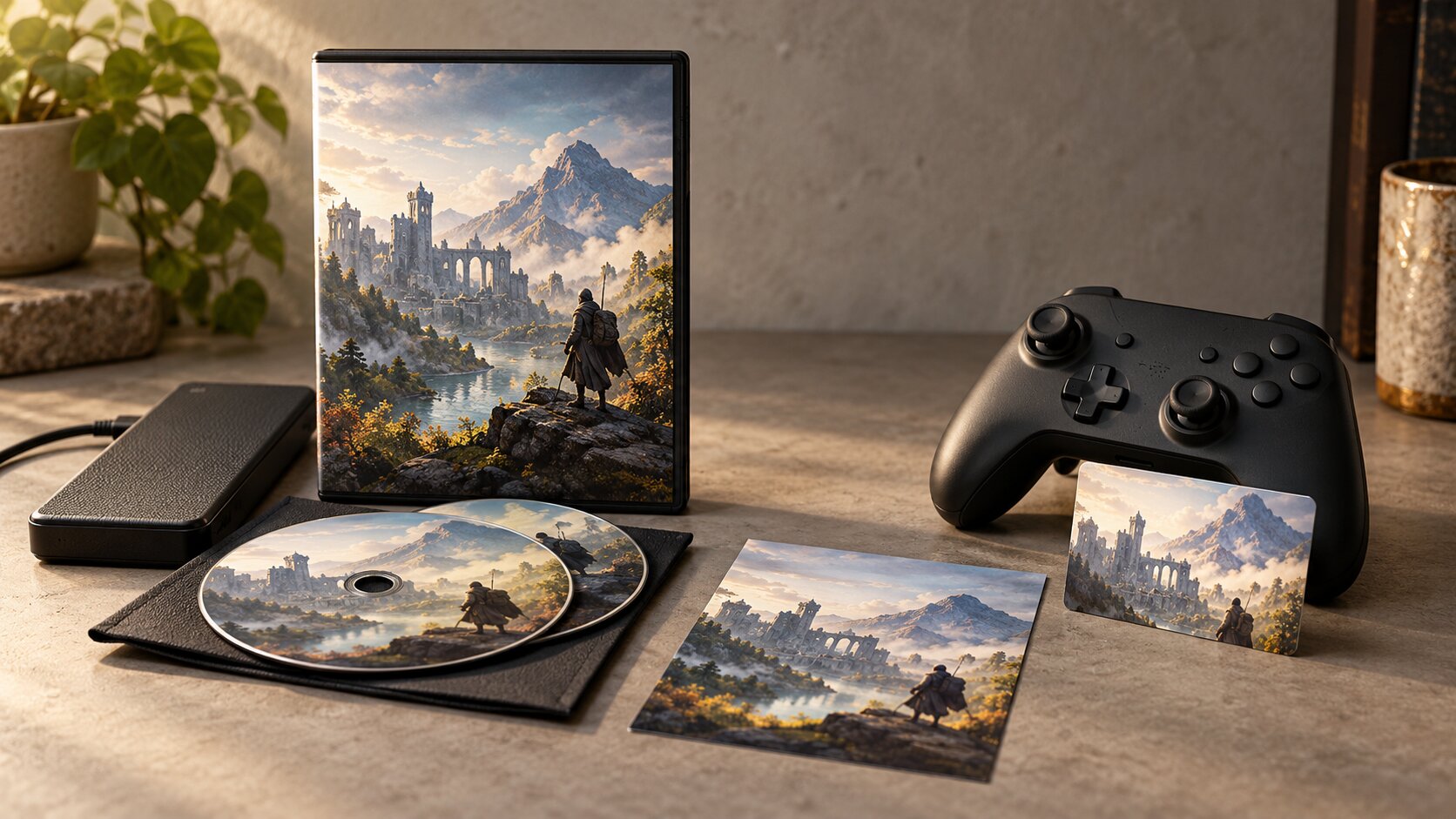
The Quick Difference
A DRM-free game is distributed without a technical DRM requirement controlling ordinary access to the protected content.
A Steam key is a code used to activate a particular Steam product or package.
After successful redemption, the associated entitlement is connected to your Steam account.
These concepts describe different aspects of digital distribution.
A Steam Key Isn't Necessarily DRM
Steam keys activate games through Steam.
However, whether a game uses DRM depends on the game's implementation and distribution requirements.
Steam provides DRM-related tools, but developers have choices about integrating them.
Some games distributed on Steam may be playable without mandatory Steam-client checks after installation.
Others may require Steam, third-party launchers, account authentication, or online services.
Don't assume that every Steam game behaves identically.
DRM-Free Doesn't Necessarily Mean Account-Free Purchasing
You may need an account to purchase or initially download a DRM-free game from a storefront.
The difference is what happens after you've obtained a compatible standalone installation.
For example, GOG provides offline backup installers for purchased games.
These allow installation without the GOG GALAXY client.
However, obtaining the files initially still requires access to the account holding the purchase.
What Is a DRM-Free Game?
DRM stands for digital rights management.
In gaming, DRM often describes technical systems intended to control access, verify licenses, or restrict copying and use.
A DRM-free release does not include those technical access controls for its ordinary supported gameplay.
How GOG Handles DRM-Free Games
GOG is known for its DRM-free distribution policy.
Its official developer documentation states that releases on GOG should work without requiring GOG GALAXY authentication, the GOG GALAXY client, or an internet connection for offline-capable gameplay.
GOG also provides downloadable offline installers.
This is useful if you want to maintain installation files independently of a storefront application.
Why Offline Installers Matter
An offline installer is a package containing files needed to install the game without using a store client during installation.
After downloading the necessary files, you can store them for later use.
Potential advantages include:
- Reinstalling without downloading the game again.
- Maintaining personal backups.
- Installing on a compatible computer without the storefront client.
- Reducing dependence on a particular launcher.
- Preserving a copy of a working installer.
These advantages depend on the files being complete, intact, and compatible with your hardware and operating system.
What DRM-Free Doesn't Guarantee
DRM-free does not automatically mean:
- Every multiplayer feature works offline.
- The game will work forever on future operating systems.
- Future patches will remain available.
- You can legally redistribute the files.
- You own the game's copyright.
- Every edition contains identical content.
- External services will remain operational indefinitely.
Online multiplayer, cloud features, achievements, and account-connected functionality may still depend on servers or external systems.
DRM-free distribution primarily affects the technical restrictions on using the software, not every service connected to it.
What Is a Steam Key?
A Steam key is an activation code associated with a Steam product or package.
Developers and publishers can obtain keys through Steamworks for approved distribution purposes.
These keys may be provided through retail packaging, authorized digital stores, promotions, or other legitimate channels.
How Activation Works
When you redeem a valid Steam key, the corresponding product entitlement is added to your Steam account.
You can then access that product through Steam according to its associated license and requirements.
A key isn't a standalone game installer.
You still normally obtain the game files through Steam after activation.
Keys Can Represent Different Products
Not every key grants the same thing.
A key might activate:
- A complete game.
- A particular edition.
- Downloadable content.
- A beta or testing entitlement.
- Another eligible Steam package.
Always check what the key actually activates.
A key advertised as a game upgrade may require ownership of the base product.
Activation Is Usually Account-Bound
After a Steam key is redeemed, the entitlement belongs to the account where activation occurred.
You should not assume that you can later transfer the activated entitlement to another person or Steam account.
If you're purchasing for someone else, verify the seller's gifting and activation instructions before paying.
Activation Before Release
Some legitimate keys can be redeemed before a game launches.
However, activation does not necessarily provide early access to the game.
Steamworks distinguishes ordinary release keys from special keys intended for testing or other approved purposes.
The exact package determines what is available and when.
DRM-Free vs. Steam Keys at a Glance
| Feature | DRM-free release | Steam key |
|---|---|---|
| What it describes | Technical distribution restrictions | Activation method |
| Store account required to buy | Depends on seller | Depends on seller |
| Activation on Steam | Not inherently required | Yes |
| Standalone installer | Depends on distributor | Not implied |
| Offline play | Generally supports offline-capable features without DRM checks | Depends on the activated game |
| Future updates | Depends on developer and distributor | Depends on Steam product support |
| Resale or transfer | Subject to license and law | Steam activation entitlement is generally account-bound |
| Online features | May require services | May require services |
| Copyright ownership | Not transferred by DRM-free status | Not transferred by key activation |
The comparison isn't about which option universally provides better games.
It's about how access, installation, and account requirements differ.
Does Buying Mean You Own the Game?
Digital game ownership is often described casually, but the legal and practical details matter.
Buying a digital game usually grants rights to use software under applicable license terms.
It generally does not transfer ownership of the game's underlying copyright.
Steam's Licensing Terms
Steam's Subscriber Agreement identifies Steam content and services as licensed rather than sold.
The agreement explains that a Steam account and, depending on the product, Steam software or an internet connection may be required.
The terms also govern account and entitlement use.
This means purchasing a Steam key does not give you an unrestricted property right to transfer the game software or its associated account entitlement.
DRM-Free Purchases Are Still Licensed
A DRM-free game may provide greater practical independence from authentication technology.
But that technical freedom doesn't automatically permit copying the game for other people or redistributing it publicly.
GOG has publicly explained that purchased content is intended for the purchaser's personal use, subject to its applicable terms.
Practical Control vs. Legal Rights
It's useful to distinguish two questions.
Practical control: Can you keep and reinstall a compatible copy of the game without repeatedly authenticating through a storefront?
Legal rights: What copying, sharing, transfer, and use permissions does the software license and applicable law provide?
A DRM-free installer may give you more practical control over installation.
That doesn't necessarily mean broader redistribution rights.
What Happens Without Internet Access?
Offline play is one of the most important differences to investigate.
With DRM-Free Installers
If you already downloaded a complete DRM-free installer, you can usually reinstall the offline-capable game without contacting the storefront.
That can be useful during outages or when using a computer with limited connectivity.
However, features requiring online servers will still be unavailable without connectivity.
With Steam Games
Steam provides an Offline Mode for supported circumstances, but actual behavior depends on the game, client configuration, and third-party requirements.
Some Steam games may operate without an active connection after installation and any necessary initial setup.
Others may require online authentication or services.
A Steam key does not itself establish whether offline play is possible.
If a Storefront Becomes Unavailable
Keeping a complete DRM-free installer may improve your practical ability to reinstall and use an offline-capable game independently of a storefront.
By contrast, a purchase that depends on account services or online distribution may face additional access limitations.
Neither approach guarantees that a game will remain compatible with future hardware and software indefinitely.
Backups, file integrity, and operating-system support still matter.
How Game Keys Can Go Wrong
Steam keys are a legitimate distribution mechanism.
However, sellers and purchase conditions deserve attention.
Unauthorized or Unclear Sellers
A deeply discounted key from an unfamiliar marketplace may have uncertain sourcing.
Potential risks include:
- Invalid activation codes.
- Previously redeemed keys.
- Regional restrictions.
- Incorrect product editions.
- Keys obtained or distributed without authorization.
- Limited customer support.
- Problems with refunds or replacement.
Low price alone doesn't establish that a seller is fraudulent.
But it shouldn't replace basic verification.
Key Revocation
Valve's Steamworks documentation describes publisher tools for banning or revoking keys in specified circumstances.
Consequently, an activated key should not be treated as immune from all future entitlement problems.
Purchasing from authorized sellers helps reduce avoidable uncertainty.
Regional Restrictions
Some Steam packages have regional restrictions.
A key intended for one market may not activate in another.
Check the seller's stated activation region before purchasing.
Do not assume that every code marked "global" has identical conditions across all products.
Edition Confusion
A seller might offer the base game, an expansion, or a Deluxe Edition upgrade.
Read the specific product name and contents.
Do not assume a lower-priced listing grants the complete game.
Refund Differences
When purchasing a key from an external retailer, the original seller's refund policy generally governs the purchase transaction.
Steam's ordinary store refund process should not be assumed to cover a key bought from an unrelated third-party seller.
Verify refund terms before payment.
How to Check Before Purchasing
Use this process whenever comparing a DRM-free release with a Steam key.
Step 1: Confirm the Seller
Prefer the developer's official store or an authorized retailer.
Check that the seller clearly identifies its business, product, and applicable terms.
Step 2: Identify the Product Format
Look for exact descriptions such as:
- DRM-free download.
- Offline installer.
- Steam activation key.
- Steam account entitlement.
- Base game.
- DLC or upgrade.
These descriptions answer different questions.
Step 3: Confirm Platform Requirements
Check the supported operating system, processor, memory, graphics hardware, and storage.
Buying a DRM-free version won't solve unsupported hardware.
Step 4: Investigate Offline Behavior
If offline access matters to you, look for the game's actual requirements.
For a DRM-free version, confirm that the distributor provides suitable offline installers.
For a Steam version, check whether the game needs Steam authentication, a third-party launcher, or an always-online service.
Step 5: Check the Complete Edition
Compare included DLC and bonuses.
A DRM-free edition and a Steam edition may not always include identical content.
Step 6: Review the Final Price and Terms
Compare actual checkout totals, applicable taxes, refund conditions, and activation restrictions.
Don't assume that the lowest displayed price offers the best overall value.
Which Option Should You Choose?
The right option depends on what you value most.
Choose DRM-Free When…
You prioritize keeping compatible standalone installers, prefer fewer launcher dependencies, and want greater control over reinstalling offline-capable games.
This can be attractive for classic PC games or titles you expect to revisit years later.
Choose a Steam Key When…
You already use Steam, prefer its library and supported features, and are comfortable with the game's Steam-specific requirements.
A legitimate key from an authorized retailer can be a convenient way to acquire a game for your existing account.
Investigate Further When…
The game requires online services, the seller's source is unclear, regional activation restrictions aren't explained, or you cannot establish whether a particular version supports offline play.
A Simple Decision Table
| Your priority | Starting choice |
|---|---|
| Downloadable standalone installers | DRM-free distributor with offline installers |
| Add a game to your Steam library | Authorized Steam key or direct Steam purchase |
| Play without internet access | Verify exact game's offline behavior |
| Avoid third-party activation uncertainty | Buy directly from established storefront |
| Preserve a personal installation backup | DRM-free version with complete installer files |
| Lowest legitimate price | Compare current authorized offers and terms |
The best purchase is the one that matches your practical needs.
Final Buying Checklist
Before buying a DRM-free game or Steam key:
- Verify the seller is legitimate.
- Identify the exact product and edition.
- Confirm whether you're receiving an installer or activation code.
- Check operating-system and hardware requirements.
- Investigate DRM and launcher requirements.
- Confirm offline-play limitations.
- Review regional activation restrictions.
- Understand refund conditions.
- Consider how updates and DLC are delivered.
- Compare the final checkout total.
A Steam key can provide convenient access to your Steam library.
A DRM-free release can provide greater independence from launcher-based installation and authentication.
But neither label tells you everything about a game.
Know what you're receiving, how it activates, what it requires to run, and which restrictions apply before paying.
That matters more than a small price difference or a storefront's marketing language.
Frequently Asked Questions
Is a Steam key the same as a DRM-free game?
No. A Steam key is an activation method. DRM-free describes a release without technical DRM restrictions. The two concepts are not direct opposites.
Does every Steam game use DRM?
No. DRM and launch requirements depend on the particular game and developer implementation. Steam provides DRM tools, but not every game uses them in the same way.
Can I install GOG games without GOG GALAXY?
Yes. GOG provides offline installers for purchased games, allowing supported games to be installed without the GOG GALAXY client.
Can a Steam key be revoked after activation?
In certain circumstances, developers or publishers can revoke keys using Steamworks tools. Buying from authorized sellers reduces avoidable risk.
Does DRM-free mean I can give the game to friends?
No. DRM-free distribution doesn't automatically grant permission to redistribute copyrighted game files. Applicable licenses and laws still govern use.
Are Steam keys always cheaper?
No. Prices vary between authorized sellers, promotions, and storefronts. Compare the actual offer and its terms.
Official Resources
- Steamworks Steam Keys - Official key activation and distribution documentation.
- Steam Subscriber Agreement - Steam account and licensing terms.
- GOG Offline Download Instructions - How to obtain offline installers.
- GOG DRM-Free Developer Requirements - How GOG defines DRM-free distribution and access.
By: Rex Iriarte
Last updated: October 18, 2026
Digital Purchase and Licensing Note
Digital game rights, license terms, online requirements, regional restrictions, and refund policies vary by product and jurisdiction. DRM-free access should not be confused with copyright ownership or unrestricted transfer rights. This article provides general buyer information rather than legal advice.
0 comments:
Post a Comment