Portable Play Is Different
A PC game can launch successfully on a handheld and still be uncomfortable to play.
Its text might be too small. Its menus might require frequent touchscreen input. The game might consume considerable battery power or require an uninterrupted internet connection.
Other games feel naturally suited to handheld play.
Their controls are comfortable, important information is easy to read, and progress can be saved without requiring lengthy sessions.
This difference matters for players using a Steam Deck, Windows handheld, or another portable gaming device.
A handheld-friendly game isn't simply one that runs. It's one that remains enjoyable under the practical conditions of portable play.
Understanding those conditions can help you make better purchases and discover games that fit the way you actually use your device.
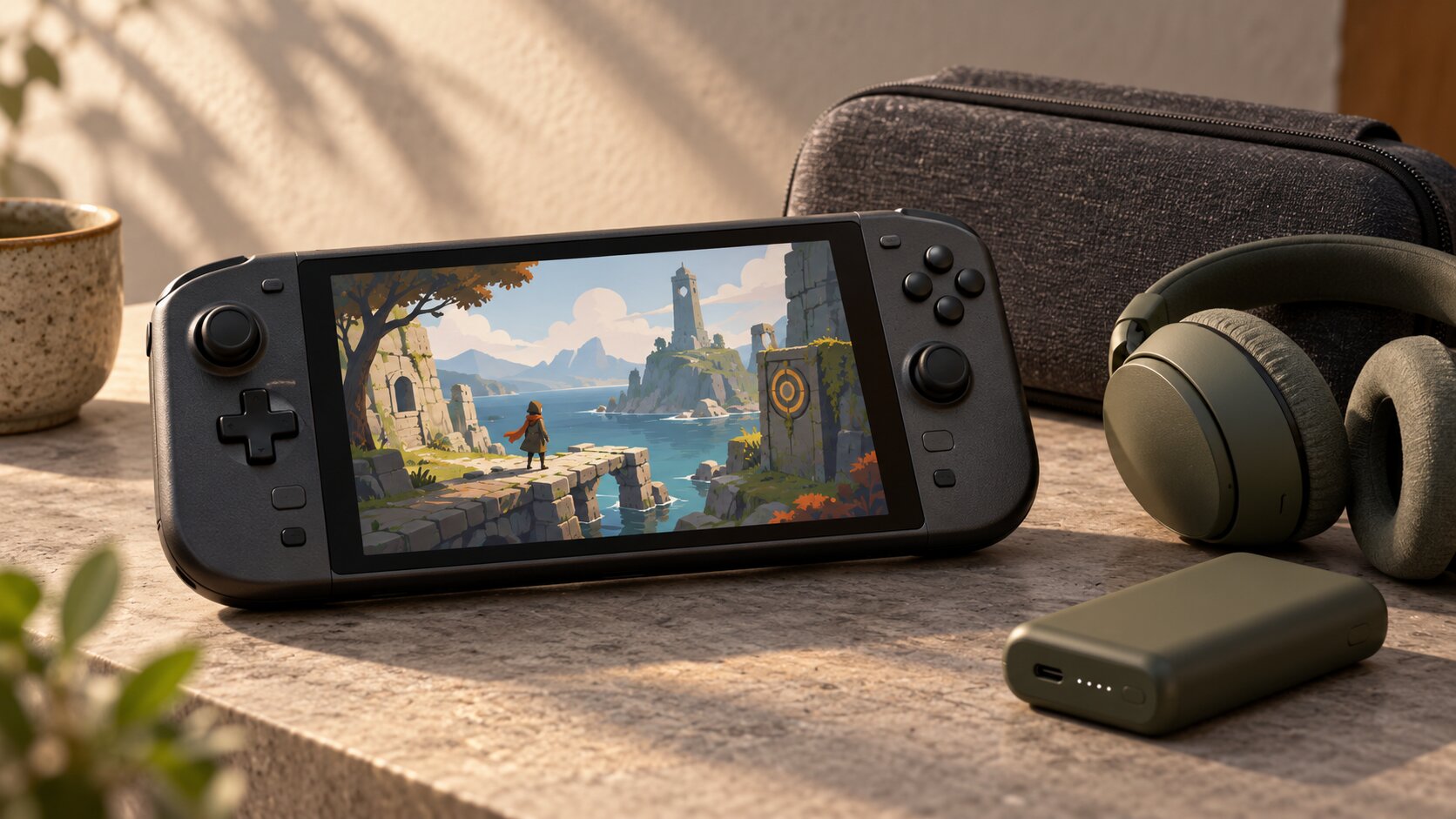
Seven Qualities of a Handheld-Friendly Game
Portable gaming introduces challenges that aren't always noticeable when using a desktop computer.
Seven qualities are particularly useful when evaluating a game.
| Quality | Why it matters |
|---|---|
| Readable text | Important information remains clear on a small screen |
| Comfortable controls | Core gameplay works without external peripherals |
| Flexible sessions | Players can make progress in limited time |
| Reliable saving | Progress can be preserved conveniently |
| Suitable performance | Gameplay remains responsive on the device |
| Manageable battery demands | The experience fits available power |
| Appropriate offline support | Required features work in expected locations |
A game doesn't need to excel in every category to be enjoyable.
For example, a long role-playing game may be an excellent handheld experience if it supports reliable suspension and resumption.
Likewise, an online multiplayer game may be appealing at home even if it isn't suitable for travel without internet access.
The important question is which compromises fit your habits.
Why Session Length Matters
One of the advantages of a handheld is being able to play without arranging a long session at a desk or television.
This changes how valuable certain gameplay structures can be.
Short Sessions
Games built around compact stages, missions, or puzzles may work particularly well when you have only a few minutes.
Examples of useful structures include:
- Individual puzzle challenges.
- Short platforming levels.
- Compact tactical encounters.
- Arcade-style runs.
- Brief exploration objectives.
These allow players to reach a natural stopping point without abandoning significant progress.
Long Games Can Also Work
A game doesn't need short levels to be handheld-friendly.
Lengthy adventures can fit portable play when they offer flexible saving or reliable suspension.
A game with a substantial campaign may be convenient if you can return to it without repeating large amounts of content.
Watch for Forced Commitments
Before buying, investigate whether the game includes long mandatory sequences that cannot be paused or saved.
A lengthy boss encounter, unskippable sequence, or multiplayer match may not fit unpredictable interruptions.
The issue isn't total game length.
It's how easily a session can be interrupted and resumed.
Controls That Work Without a Desk
Handheld devices generally provide gamepad-style controls, although exact layouts vary.
Some also include touchscreens, trackpads, gyroscopic input, or programmable buttons.
A game may technically support controllers without providing a particularly comfortable experience.
Native Controller Support
For many players, conventional controller support is the easiest starting point.
Look for games whose important actions work through physical buttons, analog sticks, and triggers.
Ideally, menus should also be navigable without requiring a mouse.
Controller Prompts
On-screen instructions should accurately reflect the controls being used.
Valve's Steam Deck verification criteria specifically address controller support and appropriate input prompts.
This is important because confusing keyboard instructions can make handheld gameplay frustrating.
Touchscreen and Trackpad Requirements
Some PC games use interfaces originally designed around mouse input.
They may remain playable through handheld trackpads or touch controls.
However, precise cursor movement can become uncomfortable when repeated frequently.
A strategy game with many small interface elements may require more interaction than a platformer with straightforward gamepad controls.
Neither genre is inherently unsuitable.
Evaluate the actual control implementation.
Custom Control Layouts
Some handheld platforms support remapping buttons or applying community configurations.
This can improve usability.
But a game requiring extensive custom configuration may be less convenient for someone who wants to start playing immediately.
Text and Interface Readability
Handheld screens are smaller than ordinary desktop monitors.
That makes interface design especially important.
Why Screen Size Changes the Experience
A menu designed for a large monitor may contain tiny labels, closely spaced buttons, or dense information panels.
Even if the game renders correctly, important details may be difficult to read at a comfortable viewing distance.
Valve includes text legibility and display support in its Steam Deck Verified criteria.
Those requirements acknowledge that technical compatibility is not enough.
What to Examine
Before buying, review screenshots or gameplay footage showing the interface at handheld resolution.
Pay attention to:
- Inventory descriptions.
- Dialogue text.
- Map markers.
- Health and resource indicators.
- Settings menus.
- Tutorial instructions.
- Item comparison panels.
If important information becomes difficult to distinguish, the game may be uncomfortable during longer sessions.
Scaling Options Help
A game may provide adjustable interface size, text scaling, or accessibility settings.
These options can make a substantial difference.
However, don't assume they exist.
Look for developer documentation or trustworthy demonstrations.
Visual Style Isn't a Guarantee
Pixel-art games may feature bold, readable characters, but their interfaces can still contain tiny text.
Likewise, a detailed 3D game can have excellent UI scaling.
Evaluate the implementation rather than the art style.
Saving, Suspending, and Resuming
Portable gaming often involves interruptions.
You might stop playing because you're moving locations, conserving battery, or simply returning to another activity.
A convenient save system can make these interruptions less disruptive.
Manual Saves
Manual saving allows players to preserve progress at selected times.
This can be useful in strategy, simulation, and role-playing games.
But some games restrict saving to particular locations or circumstances.
Automatic Checkpoints
Checkpoints can work well when they occur frequently enough to preserve meaningful progress.
A game with long intervals between checkpoints may be less convenient for short sessions.
Suspend and Resume
Many handheld systems provide sleep or suspend functionality.
Nintendo documents Sleep Mode for supported Switch systems, while PC handhelds have their own operating-system and hardware behavior.
However, a system's sleep function does not guarantee every game will resume perfectly under all conditions.
Online sessions, launchers, authentication systems, or software issues may interfere.
Online Games Are a Special Case
Suspending an online multiplayer game may disconnect the player from a server.
A game that depends on continuous online communication might not preserve a session the same way an offline single-player title does.
Check the game's reconnect and progress-saving behavior when this matters to you.
Battery Life and Performance
Battery life is one of the most practical handheld gaming considerations.
A game that performs well while connected to power may provide a different portable experience when running on battery.
Hardware Specifications Aren't Gameplay Guarantees
Valve lists a 50 Wh battery and a broad estimated gameplay range of three to twelve hours for Steam Deck OLED.
That range illustrates how considerably battery duration can vary.
It does not mean every game will provide a particular number of hours.
Actual results depend on workload, brightness, power settings, connectivity, battery condition, and other factors.
Graphics Demands Matter
Demanding effects and high rendering workloads can increase power consumption.
Reducing graphics settings or limiting frame rate may improve efficiency in some games.
But the outcome varies.
A visually simple game is not automatically the most efficient.
Consistency Can Matter More Than Maximum FPS
Portable gaming often benefits from steady responsiveness rather than maximum possible frame rates.
A game that fluctuates noticeably may feel less comfortable than one maintaining a consistent performance level.
Look for credible reports that describe frame pacing and gameplay conditions, not just a single average FPS figure.
Consider Heat and Fan Noise
Portable systems have limited space for cooling.
Long sessions with demanding games can increase heat and fan activity.
The degree of impact depends on device design and workload.
These factors may matter if you prefer quiet gaming environments.
Offline Play and Internet Requirements
Portable devices are often used where internet access is unavailable or unreliable.
A game that requires an online connection may therefore be less flexible.
Offline Single-Player Games
Games that support their core single-player content offline can be convenient for travel or locations with limited connectivity.
However, downloading and installing the game may still require an internet connection.
Some products also require initial activation or periodic authentication.
Always-Online Requirements
A game may depend on external servers even when much of its gameplay appears single-player.
Before buying, check whether an active connection is mandatory.
Don't assume a single-player label guarantees offline functionality.
Cloud Saves
Cloud saves can make switching devices convenient.
However, syncing requires suitable connectivity and may not occur immediately.
If you use more than one gaming device, confirm how the game handles local saves and cloud synchronization.
Avoid assuming that progress is safely uploaded immediately after every session.
Multiplayer Games
Competitive and cooperative online games can work well on handhelds.
But they may be less appropriate when you expect frequent disconnections or interruptions.
Consider your typical internet access before prioritizing them.
Which Game Genres Fit Portable Play?
No genre is universally best for handheld gaming.
Some naturally offer useful session structures, while others depend more heavily on controls, interface design, or connectivity.
| Genre | Potential portable advantage | What to check |
|---|---|---|
| Puzzle games | Compact challenges | Readability and saving |
| Platformers | Direct controls and short stages | Input responsiveness |
| Turn-based strategy | Flexible pacing | Interface size |
| Roguelites | Repeated runs and progression | Run length and suspension |
| Farming and life sims | Flexible objectives | Saving and interface navigation |
| Story adventures | Portable narrative progression | Dialogue readability |
| Real-time strategy | Deep systems | Mouse-style controls |
| Online multiplayer | Portable competition | Connection and interruption handling |
Puzzle Games
Puzzle games can work well when their challenges fit short sessions.
However, tiny objects or precise pointer controls can reduce comfort.
Platformers
Platformers often suit physical controls.
Games emphasizing precise movement benefit from consistent input responsiveness and clear visual information.
Turn-Based Strategy
Turn-based gameplay can be convenient because players usually control the pace.
But complicated interfaces may require additional scaling or control configuration.
Farming and Life Simulations
Games with self-directed objectives can support relaxed portable play.
Check whether progress can be saved conveniently and whether menu navigation is comfortable.
Roguelikes and Roguelites
Run-based games may provide natural repeated sessions.
However, a single run can sometimes become lengthy.
Look for suspension and checkpoint behavior.
Narrative Adventures
Story-focused games can be comfortable on handhelds when dialogue and menus remain readable.
Frequent interruptions may be less desirable during long, unskippable narrative sequences.
A Practical Handheld-Friendly Scorecard
Use this simple five-category assessment.
Give each category zero, one, or two points.
| Factor | 0 points | 1 point | 2 points |
|---|---|---|---|
| Controls | Major difficulties | Requires adjustments | Comfortable by default |
| Readability | Important text difficult to read | Usable with compromises | Clear and adjustable |
| Session flexibility | Difficult to pause or save | Some restrictions | Convenient stopping points |
| Performance and battery | Poor fit for your device | Acceptable compromises | Meets your expectations |
| Connectivity | Requires unsuitable connection | Some restrictions | Works where you intend to play |
Maximum score: 10.
This is a personal buying framework, not an official compatibility rating or an independently tested performance score.
How to Interpret the Result
8–10: A promising handheld candidate, provided the game interests you.
5–7: Worth investigating further, particularly around the identified compromises.
0–4: Consider a different game or platform for your preferred usage.
A score doesn't override mandatory compatibility requirements.
If a game cannot launch on your device, its other qualities cannot compensate.
What to Check Before Buying
Use a short evaluation before purchasing a PC game for a handheld.
Step 1: Confirm Compatibility
For Steam Deck, review Valve's current compatibility information.
For other devices, check their relevant operating-system and hardware requirements.
Do not assume that a Steam Deck rating transfers automatically to a Windows handheld.
Step 2: Examine the Interface
Look for handheld gameplay footage or screenshots at a comparable display size.
Pay particular attention to text and menus.
Step 3: Review the Controls
Confirm native gamepad support or understand which adjustments are necessary.
Step 4: Investigate Saving
Check whether the game supports manual saves, frequent checkpoints, or reliable suspension.
Step 5: Check Online Requirements
Determine whether the core gameplay works without a continuous connection.
Step 6: Consider Battery Demands
Look for credible reports involving your specific device and relevant settings.
Avoid relying on a single battery-life estimate from unrelated hardware.
Step 7: Decide Whether It Fits Your Habits
Think about where and how long you actually play.
A game that works beautifully during a two-hour session at home may not be your preferred option for ten-minute breaks.
Final Buying Checklist
Before choosing a handheld game:
- Confirm the game works on your specific device.
- Check controller support.
- Examine interface and text readability.
- Look for adjustable UI settings.
- Understand saving and checkpoint behavior.
- Consider how the game handles suspension.
- Verify offline requirements.
- Check practical performance expectations.
- Consider battery use and thermal behavior.
- Match session structure to your routine.
Handheld gaming works best when the experience adapts comfortably to the device and your available time.
A game doesn't need simple graphics, short levels, or a particular genre to be portable-friendly.
It needs controls, presentation, performance, and session design that work together.
The best portable game is one you can enjoy without constantly fighting the device, interface, or circumstances around you.
Frequently Asked Questions
Are short games always better for handhelds?
No. Longer games can work well when they offer convenient saving, suspension, and readable interfaces.
Does Steam Deck Verified guarantee a great portable experience?
Verified indicates that a game meets Valve's compatibility criteria, but it doesn't guarantee a particular battery duration or that every player will enjoy its session structure.
Do pixel-art games use less battery?
Not necessarily. Power consumption depends on the game's complete workload and the device's settings.
Can I play Steam games offline on a handheld?
Some games support offline play, subject to their individual requirements and relevant client setup. Others require online services or authentication.
Why are some strategy games difficult on handhelds?
Interfaces originally designed for a mouse and large monitor may be less comfortable using compact controls and a small screen.
Is controller support enough to make a game handheld-friendly?
No. Readability, saving, session flexibility, performance, battery demands, and connectivity also contribute.
Official Handheld Gaming Resources
- Steam Deck Verified - Valve's explanation of input, display, and compatibility requirements.
- Steam Deck OLED Technical Specifications - Display, controls, hardware, and estimated battery range.
- Steamworks Compatibility Guidance - Detailed criteria for handheld usability and performance.
- Nintendo Switch Sleep Mode Support - Official instructions for suspending a supported Switch system.
By: Alex Brown
Last updated: October 18, 2026
Portable Gaming Note
Handheld comfort and suitability depend on the specific game, device, control configuration, operating system, personal preferences, and usage conditions. Battery ranges and compatibility ratings do not guarantee individual results. No original handheld performance or battery testing is represented in this article.
0 comments:
Post a Comment