A Demo Can Tell You More Than a Trailer
An upcoming indie game looks interesting. Its screenshots are colorful, its trailer introduces an unusual mechanic, and the developer has released a playable demo.
That gives you an opportunity promotional material cannot fully provide.
You can experience part of the game yourself.
Perhaps the movement feels immediately satisfying. Maybe its puzzle system is more inventive than expected. Or you discover that an attractive adventure has controls you don't particularly enjoy.
All three outcomes can be useful.
A good demo helps players understand the experience they're considering, but a promising demo isn't necessarily the one with the most features or the longest playtime.
The most useful question is whether the demo provides convincing evidence that the game's central idea works.
Here's how to evaluate indie game demos without confusing early potential with guaranteed final quality.
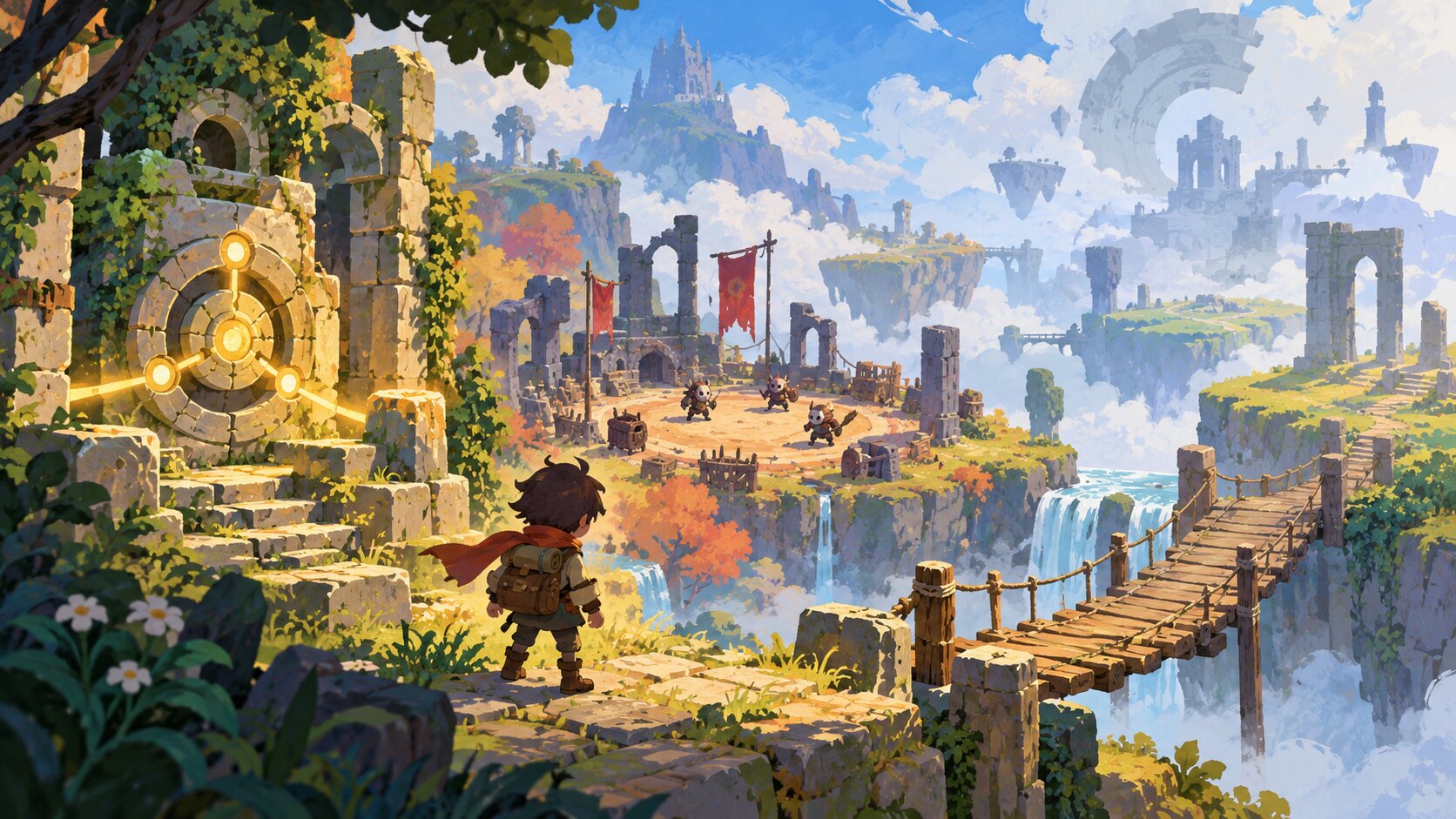
What Makes a Demo Promising?
A promising demo usually communicates enough of a game's intended experience to help players decide whether they want to learn more.
That doesn't mean every system must be complete.
An early puzzle game might contain only a few carefully designed challenges. A strategy title may provide a single scenario. An adventure could offer one short environment.
The important factor is what those sections reveal.
Five Things Worth Evaluating
When playing a demo, focus on five areas.
- Core gameplay: Is the central activity interesting?
- Controls: Can you interact with the game comfortably?
- Clarity: Does the game explain its important systems?
- Technical behavior: Does the demo work adequately on your computer?
- Development context: Does the developer explain what the demo represents?
These criteria provide a useful framework, but they aren't guarantees about the final release.
A strong demo can still lead to a disappointing finished game. A rough early prototype may improve substantially.
Use the available evidence without assuming you know the future.
Look for a Strong Core Gameplay Loop
The core gameplay loop describes the actions players repeat during ordinary play.
For example, a tactical game might involve examining a battlefield, making decisions, resolving encounters, and preparing for another challenge.
A platformer might revolve around movement, timing, navigating obstacles, and reaching the next area.
A farming game might emphasize collecting resources, improving a small environment, and pursuing personal objectives.
Can You Explain What You're Doing?
After spending some time with a demo, ask yourself:
- What is the main activity?
- Which decisions matter?
- What makes the experience interesting?
- What would motivate me to continue?
If you cannot answer these questions, the demo may not have communicated its central idea clearly.
That doesn't automatically mean the game is poorly designed.
Some experiences intentionally introduce mechanics gradually.
However, a demo should usually offer enough substance to explain why the game is worth following.
Look for Meaningful Decisions
Consider a fictional strategy demo where players choose between several units.
If every unit behaves almost identically, the available choices may not reveal much strategic depth.
But if positioning, timing, and different abilities produce recognizable consequences, the demo provides more useful evidence.
Meaningful decisions are not exclusive to strategy games.
They can appear through movement, exploration, dialogue, resource management, or puzzle solving.
Is the Core Activity Enjoyable?
A promising idea isn't always a satisfying game.
Try separating your interest in the premise from your enjoyment of the interaction.
An atmospheric trailer might make a world look appealing, but you'll spend much of your time actually playing.
The core experience should give you a reason to return.
Evaluate the Controls and Responsiveness
Controls are one of the strongest reasons to try a demo rather than rely exclusively on video footage.
A game can look smooth in a trailer yet feel uncomfortable on your preferred input device.
Movement and Timing
For action-oriented games, pay attention to:
- Character responsiveness.
- Jumping and movement.
- Attack timing.
- Camera behavior.
- Interaction distances.
- Whether important actions are easy to understand.
Some games deliberately use slow or weighty movement.
That doesn't automatically mean the controls are defective.
The question is whether the movement supports the intended design.
Controller Support
If you plan to play with a controller or handheld device, check whether the demo supports that input method.
Look for appropriate button prompts and menu navigation.
A game that technically recognizes a controller may still require mouse input for certain menus.
Can You Adjust the Controls?
Remapping, sensitivity adjustments, and other input settings can improve comfort.
Not every demo includes the complete settings menu planned for release.
If a needed option is absent, look for official information rather than assuming it will arrive.
Separate Preference from Technical Problems
You may dislike a particular control style even when it functions as intended.
Conversely, a game may attempt a familiar control style but implement it inconsistently.
These are different observations.
Being precise about the problem makes your evaluation more useful.
Check How the Game Teaches You
A demo often introduces players to unfamiliar systems.
For small independent games with unusual mechanics, that introduction can make a significant difference.
A Useful Tutorial Explains Through Play
An effective tutorial may introduce one mechanic, let players experiment, and then combine it with another idea.
Imagine a puzzle game built around redirecting light.
An introductory room might teach how to rotate mirrors.
A later room could introduce obstacles and multiple light sources.
That structure helps players understand the system through meaningful interaction.
Too Much Explanation Can Become a Problem
Long instructions may overwhelm players before they understand why the information matters.
On the other hand, providing no guidance can leave players confused about basic controls.
The right balance depends on the genre and intended audience.
Look for Constructive Feedback
When you make a mistake, can you understand what happened?
A platformer might communicate a missed jump through clear movement and collision feedback.
A strategy game could explain the outcome through visible enemy actions.
A puzzle game may provide enough information for players to reconsider their approach.
Good feedback helps players improve without necessarily revealing every solution.
Look Beyond the Visual Presentation
Indie developers often use distinctive visual styles to communicate personality.
Pixel art, illustration, hand-painted environments, and low-poly graphics can all create memorable worlds.
However, appearance alone cannot establish whether a game is enjoyable.
Visual Readability
Check whether important elements are recognizable.
Can you distinguish interactive objects from background decoration?
Are hazards clear enough for the game's intended challenge?
Can you read text and understand the interface?
These considerations are especially important for handheld gaming or smaller displays.
Animation and Feedback
Animation can communicate how the game responds to player input.
Movement, impacts, environmental reactions, and interface changes all help players interpret what is happening.
A visually simple game can feel expressive when these systems work together.
Consistency Matters More Than Complexity
A demo doesn't need elaborate graphics to demonstrate strong art direction.
A cohesive presentation may be more valuable than numerous unrelated effects.
Look for visual choices that support the game rather than distract from it.
Understand Bugs and Technical Problems
A demo can contain technical issues.
The important question is what those issues reveal and whether they affect the experience you want.
Minor Problems
An early demonstration might contain occasional visual imperfections, unfinished interface elements, or small animation issues.
These don't necessarily undermine the central gameplay.
However, they should not automatically be dismissed either.
Serious Problems
Crashes, corrupted saves, repeated freezes, broken input, or severe performance problems deserve closer attention.
A demo that cannot reliably run on your computer may not provide enough confidence for an eventual purchase.
Development Stage Matters
A prototype released early in development should not necessarily be judged by the same polish expectations as a demo intended to represent a near-finished product.
Check how the developer describes the build.
Avoid assuming that every problem will be fixed before release.
Likewise, do not assume that existing problems will remain forever.
A Demo Is Not Comprehensive Quality Assurance
Steam's official Next Fest guidance states that its demo build review is not a complete quality-assurance process.
That review doesn't guarantee that Valve has discovered or evaluated every gameplay bug.
This distinction matters when interpreting the presence of a demo on an established storefront.
Availability establishes that a playable release has been distributed. It does not certify overall quality.
Performance Is Hardware-Specific
A demo that runs comfortably on one computer may perform differently on another.
Consider:
- Processor.
- Graphics hardware.
- RAM.
- Operating system.
- Drivers.
- Resolution.
- Graphics settings.
If your system is close to or below the game's published minimum requirements, interpret your experience cautiously.
Demo performance is evidence about that build on your system, not a guarantee for the completed game.
Know What the Demo Leaves Out
A demo is usually a selected portion of a larger experience.
Developers must choose what to include and what to reserve for the complete release.
Limited Content Is Normal
A demo may contain only:
- The opening area.
- One mission.
- A tutorial.
- A short selection of levels.
- A restricted group of characters.
- A sample of available game modes.
Its limited scope is not inherently a weakness.
What's Missing Matters
Consider whether the demo leaves out a feature central to your interests.
For example, you may be interested in cooperative multiplayer, while the current demo includes only solo gameplay.
In that situation, the demo cannot establish whether the multiplayer experience will suit you.
Similarly, a role-playing game demo may not reveal the depth of later progression systems.
Check Save-Data Transfer
Some demos support transferring progress to the complete release.
Steam provides technical mechanisms developers can use to share save data between demo and full-game applications.
However, developers must implement the relevant functionality.
Never assume progress will transfer automatically.
Check Demo Availability
Some demos remain available after promotional events, while others may be removed.
Valve encourages developers to communicate clearly when they intend to deactivate demos following Steam Next Fest.
If a demonstration interests you, check whether the developer has announced any availability limits.
Look for Useful Developer Communication
An indie demo becomes easier to evaluate when the developer explains what it represents.
Useful information may include:
- Which game version the demo uses.
- Which mechanics are implemented.
- Known technical limitations.
- Features excluded from the demo.
- Supported operating systems.
- Whether save data carries over.
- Where to report bugs.
- Whether the build will receive updates.
Distinguish Existing Content from Plans
Suppose a developer says an upcoming game will eventually contain extensive exploration, crafting, and cooperative play.
If the demo currently includes only a small solo environment, that is the experience you can evaluate.
The planned systems may become interesting later, but they aren't demonstrated yet.
Clear Limitations Can Be Helpful
A developer who identifies known issues is providing useful context.
That does not establish that the final game will be excellent.
But it helps players interpret what they're experiencing.
Respect the Developer's Scale
Small teams may have limited testing, communication, and production resources.
This context is relevant, but it should not replace evaluating the actual product.
Players can acknowledge development constraints while still deciding that a particular game isn't right for them.
A Practical Indie Demo Scorecard
You can use a simple ten-point framework to organize your impressions.
Score each category from zero to two.
| Category | 0 points | 1 point | 2 points |
|---|---|---|---|
| Core gameplay | Unclear or uninteresting | Some promise | Engaging and understandable |
| Controls | Major problems | Usable with compromises | Comfortable and responsive |
| Clarity | Difficult to understand | Partially explained | Clear mechanics and feedback |
| Technical behavior | Serious problems | Some limitations | Adequate on your system |
| Developer context | Little useful information | Partial explanation | Clear scope and limitations |
Maximum score: 10.
This is a personal evaluation tool, not an objective game-quality score or a professional review.
How to Interpret the Result
8–10: Strong reason to investigate the full game further, assuming its concept interests you.
5–7: Some promising qualities, with additional questions to resolve.
0–4: Consider waiting for another demo or more development information.
A low score doesn't establish that the finished game will be bad.
It only describes your assessment of the available demonstration.
A Fictional Example
Imagine trying a hypothetical indie puzzle game called Glass Harbor.
Its movement and puzzle mechanics feel satisfying, and the tutorial communicates the main ideas.
However, the demo has occasional menu problems, and the developer hasn't published complete hardware requirements.
You might assign high scores to gameplay and clarity while keeping technical confidence lower.
That gives you a practical reason to follow the game without immediately committing to purchase.
What to Do After Playing
A demo evaluation is most useful when it leads to a clear next step.
Wishlist the Game
If the core experience interests you, save the official store page.
A wishlist helps you return when the game launches or receives updates.
Try Another Demo
If you're uncertain whether a particular genre suits you, compare a few different games.
You may discover that your preferences depend more on controls or mechanics than on visual presentation.
Provide Constructive Feedback
Some developers provide official channels for reporting bugs or sharing impressions.
When contributing feedback, describe observable behavior.
For example:
"The inventory menu sometimes stops responding to controller input after opening the map."
That is more actionable than simply saying the controls are bad.
Wait for More Information
A promising demo doesn't require an immediate purchase decision.
You can wait for updated system requirements, another demonstration, developer explanations, or information about the completed release.
Remove the Game from Your List
If the gameplay doesn't interest you, moving on is reasonable.
An impressive trailer, attractive art style, or popular demo doesn't obligate you to buy the game.
Final Demo Evaluation Checklist
Before deciding whether to follow an indie game after trying its demo:
- Identify the core gameplay loop.
- Decide whether the main mechanics interest you.
- Check controller and keyboard responsiveness.
- Evaluate tutorials and gameplay feedback.
- Confirm the interface is readable.
- Note serious technical problems.
- Compare the demo with the developer's description.
- Identify important features that aren't included.
- Check hardware requirements.
- Verify save-transfer and demo-availability details.
- Decide whether the existing evidence justifies further attention.
A promising indie demo doesn't need to reveal the entire finished game.
It needs to demonstrate an interesting idea clearly enough for players to understand why they might want more.
The best demos leave you curious because the gameplay works, not merely because the trailer made an appealing promise.
Try the experience, identify what is proven, recognize what remains uncertain, and let the gameplay guide your next decision.
Frequently Asked Questions
Does a good demo guarantee a good finished game?
No. A demo represents selected content from a particular build. The complete game may differ in content, performance, and polish.
How long should an indie game demo be?
There is no universal ideal duration. A short demo can be useful if it demonstrates the central mechanics and provides enough context for an informed decision.
Should a demo contain bugs?
Demos can contain technical issues, particularly during development. Their severity, the development stage, and the developer's communication affect how players should interpret them.
Can demo progress transfer to the full game?
Sometimes. Steam supports mechanisms for sharing save data, but the developer must implement the relevant feature.
Are Steam Next Fest demos fully tested by Valve?
No. Valve explains that its build-review process is not comprehensive quality assurance.
Should I wishlist a game after enjoying its demo?
Wishlisting is a reasonable way to follow a promising game without committing to a purchase. Reevaluate the finished product before buying.
Official Demo Resources
- Steamworks Demo Documentation - Demo features, distribution, save-data options, and storefront presentation.
- Steam Next Fest Developer Guidance - Demo events, testing expectations, and development information.
- Steam Next Fest: October 2026 - Official event information and participation requirements.
By: Marco Medalla
Last updated: October 18, 2026
Demo Evaluation Note
Demo builds, features, technical stability, hardware requirements, save-data compatibility, and availability can change. This article offers general evaluation guidance rather than original hands-on testing or guarantees about unreleased games.
0 comments:
Post a Comment