The Edition Name Isn't the Answer
You've found a PC game you want to play, but the store page offers several versions.
There's a Standard Edition, a Deluxe Edition, and perhaps a Complete, Ultimate, or Gold Edition.
The most expensive version advertises extra content. The middle option sounds like a sensible compromise. The Standard Edition costs less but might leave you wondering what you're missing.
Which should you buy?
The answer isn't as simple as choosing the edition with the most impressive name.
Game edition labels aren't universal guarantees about what a purchase includes. A Deluxe Edition might add a soundtrack and cosmetic items, while another game's Deluxe Edition includes substantial playable content.
A Complete Edition may bundle existing expansions without promising every future release.
The important question is what each version provides, what you actually want, and how much the additional content costs.
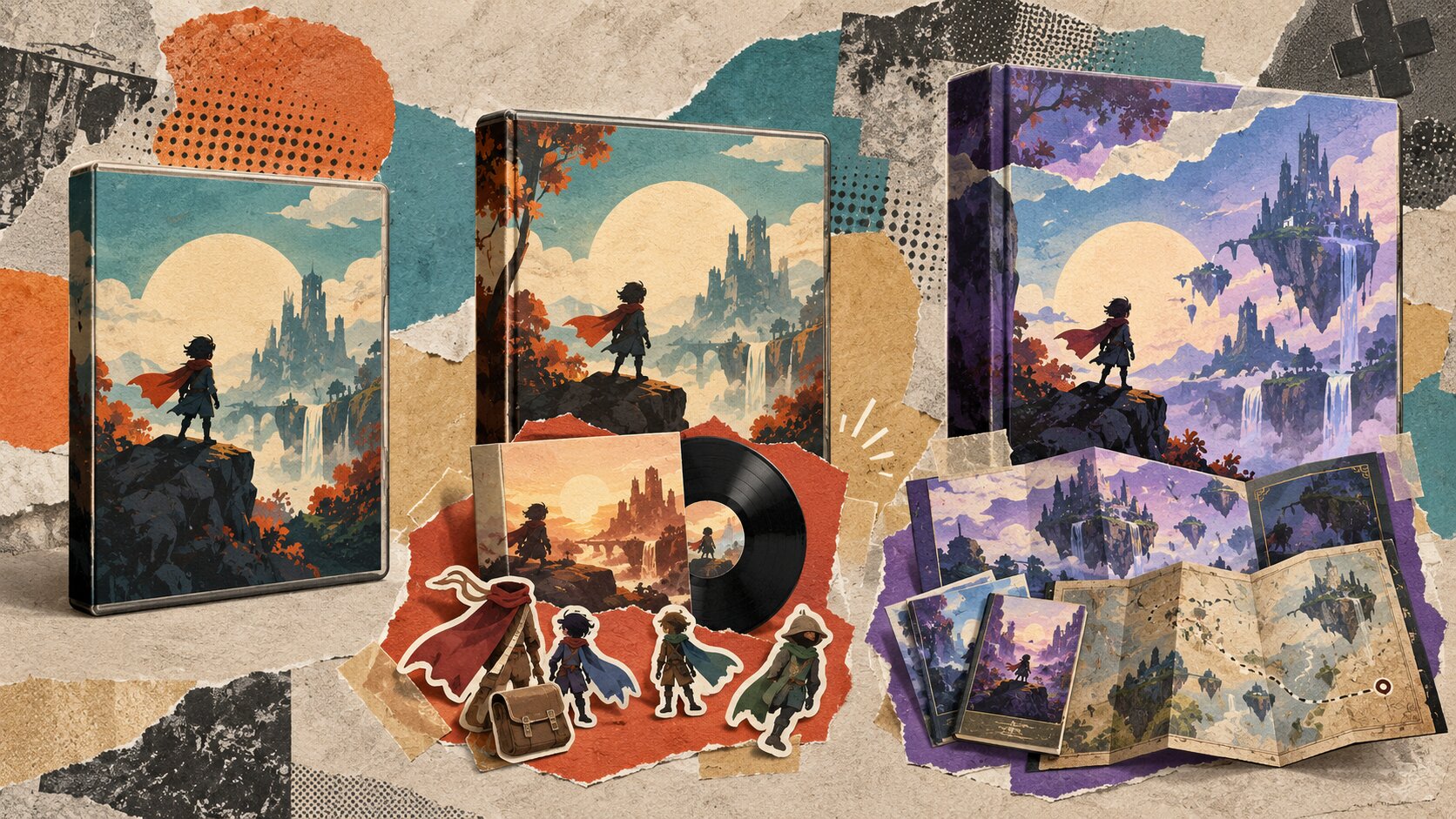
Standard, Deluxe, and Complete at a Glance
Here's how these labels are commonly used.
| Edition | Typical contents | What to verify |
|---|---|---|
| Standard | Base game | Whether the main game is complete and which content is excluded |
| Deluxe | Base game plus selected extras | Whether extras are cosmetic, playable, or digital bonuses |
| Complete | Base game plus a collection of DLC or expansions | Whether all released and future content is included |
| Ultimate or Gold | Varies by publisher | Exact content and any season-pass terms |
| Collector's | May include digital or physical extras | Item descriptions, delivery, and availability |
These are general patterns, not standardized definitions.
A particular game's Standard Edition may already provide an extensive experience. Another publisher may sell an edition with a different name but similar contents.
Always examine the actual product description.
What Comes With a Standard Edition?
A Standard Edition generally contains the base game.
It's usually the simplest purchase option and often the most economical way to experience the core release.
Why Standard Can Be Enough
Many games provide their main campaign, gameplay systems, and essential features in the base version.
Additional editions may focus on optional items that don't substantially change the main experience.
If you want to play the story, explore the mechanics, and decide whether you enjoy the game, Standard can be a reasonable starting point.
What to Check
Don't assume every base game includes identical features across platforms or storefronts.
Look for information about:
- Main campaign or playable modes.
- Included characters or missions.
- Multiplayer availability.
- Content sold separately.
- Additional launchers or accounts.
- Platform-specific differences.
If the base game already contains everything that interests you, a more expensive edition may provide little practical value.
What Does Deluxe Actually Include?
A Deluxe Edition commonly combines the base game with additional material.
Steam's developer guidance lists possible deluxe components such as in-game items, downloadable content, soundtracks, and artwork.
The exact combination depends on the product.
Cosmetic Extras
These may include alternate character appearances, outfits, weapon designs, or decorative items.
Cosmetics can be enjoyable, particularly if customization matters to you.
But they don't necessarily provide additional missions, story content, or gameplay systems.
Soundtracks and Art Books
Some Deluxe Editions include digital music collections or artwork.
These bonuses can be worthwhile for players who appreciate a game's presentation and development.
However, a digital soundtrack is not the same as additional playable content.
Check whether the files are downloadable and how the storefront delivers them.
Gameplay Content
Some Deluxe Editions include extra missions, characters, equipment, or expansion content.
These additions may provide more substantial value if they match your interests.
But a longer contents list doesn't automatically make the edition a better purchase.
Evaluate each item individually.
Is Deluxe Always the Middle Option?
No.
A game may offer Standard and Deluxe only, while another has several editions with different combinations of content.
Price and content matter more than the edition's position in the product lineup.
Does Complete Mean Everything?
The word "Complete" can create particularly strong expectations.
A buyer may reasonably assume that a Complete Edition includes the base game and all additional content.
However, the name itself doesn't establish that.
Existing DLC vs. Future DLC
A Complete Edition might contain all expansions available when the package was created.
That does not necessarily mean future expansions, cosmetic packs, or later releases will be added without further payment.
Read the current list of included products.
Different Kinds of Completeness
Publishers may use Complete to describe:
- The base game plus major expansions.
- A collection of released story content.
- A package containing certain downloadable add-ons.
- A later edition of an older game.
None of these meanings should be assumed without verification.
Watch for Missing Extras
An edition can include major gameplay expansions while excluding optional soundtracks, cosmetic packs, or additional purchases.
If a particular DLC matters to you, look for its exact title in the edition's contents.
Don't rely on the word Complete alone.
Other Edition Names That Can Confuse Buyers
Publishers may also use labels such as Gold, Ultimate, Premium, Definitive, Anniversary, or Game of the Year.
Their meaning varies.
A Definitive Edition might include technical improvements and revised content.
A Game of the Year Edition might contain a selection of expansions.
An Ultimate Edition might package additional items or a season pass.
These names can be helpful clues, but none provides a universal checklist.
Treat edition names as marketing descriptions and the actual contents list as the purchasing evidence.
If the store page doesn't clearly identify what you're buying, investigate before purchasing.
Compare the Price of the Extras
The most useful calculation is the difference between editions.
Suppose a fictional indie adventure offers:
| Edition | Illustrative price | Contents |
|---|---|---|
| Standard | $14.99 | Base game |
| Deluxe | $19.99 | Base game, soundtrack, cosmetic pack |
| Complete | $24.99 | Base game, soundtrack, cosmetic pack, story expansion |
These are hypothetical prices, not current storefront offers.
In this example:
- Deluxe costs $5 more than Standard.
- Complete costs $10 more than Standard.
- Complete costs $5 more than Deluxe.
Now ask whether the additional content is worth that difference to you.
A Practical Example
If you only want the main adventure, Standard may be the best choice.
If you regularly listen to game soundtracks, the Deluxe extras might justify the additional $5.
If the expansion offers gameplay you genuinely want, Complete may provide better value than buying the base game and expansion separately.
But that conclusion depends on the actual individual expansion price.
Don't Measure Value by Item Count
An edition containing twelve cosmetic items isn't automatically worth more to you than one offering a single story expansion.
Assign value based on what you intend to use.
A long list of extras can make an expensive package look attractive even when most additions have little relevance to your interests.
What If You Already Own the Base Game?
Existing ownership can change the buying decision significantly.
Suppose you purchased the Standard Edition months ago and now want the Deluxe content.
Buying another complete package might not be necessary or possible.
Look for an Upgrade
Some publishers sell a Deluxe Upgrade or separate DLC package.
Steam's documentation describes ways developers can offer deluxe content separately from the base game.
If an upgrade exists, compare its price with the remaining content you want.
Understand Bundle Types
Steam supports two important bundle structures.
Complete the Set: Eligible packages adjust the purchase to account for included products already owned in your Steam library.
Must Purchase Together: These bundles generally cannot be purchased when you already own an included product.
The two arrangements aren't interchangeable.
Read the specific offer presented to your account.
Other Storefronts May Differ
GOG also supports dynamic pricing for certain eligible bundles, but it doesn't automatically apply to every edition.
Don't assume a publisher will deduct previously owned content from every deluxe or complete package.
Verify the checkout price before purchasing.
Avoid Paying Twice
If you already own the base game, make a list of missing add-ons.
Then compare:
- Individual DLC prices.
- An available upgrade package.
- Any eligible ownership-adjusted bundle.
Choose the least expensive legitimate option that provides the content you want, accounting for the applicable purchase terms.
Check DLC, Season Passes, and Future Content
Edition descriptions often refer to DLC, expansion passes, or season passes.
These terms require attention.
DLC
Downloadable content can include substantial expansions, new areas, characters, cosmetic items, music, or other optional material.
DLC is a delivery and product category, not a guarantee of particular content.
Season Passes
A season pass may grant access to a defined selection of additional releases.
It does not automatically mean that every future expansion will be included.
Read which items are covered, whether release dates are specified, and what happens if plans change.
Future Content Promises
Upcoming content can be attractive, especially when purchasing a game close to launch.
But planned content isn't the same as available content.
Consider whether the edition offers acceptable value without relying entirely on features that have not yet been released.
Early Access Editions
If a game is still in Early Access, edition comparisons can become even more uncertain.
The base game may change, and promised expansions may still be under development.
Evaluate the current playable product alongside any future-content terms.
How to Compare Game Editions Before Buying
Use this six-step process.
Step 1: Identify the Base Game
Confirm that the edition includes the actual game and not merely an upgrade, soundtrack, or add-on requiring separate ownership.
Step 2: List the Differences
Create a short list of what each more expensive edition adds.
Separate gameplay content from cosmetics, music, and artwork.
Step 3: Mark What You Want
Ignore extras that don't interest you.
Focus on the content you'd seriously consider purchasing individually.
Step 4: Compare the Current Prices
Use the actual available prices rather than original list prices or advertised discount percentages.
Include taxes and other checkout costs where relevant.
Step 5: Check Ownership and Upgrade Paths
If you already own part of the package, see whether an upgrade or eligible adjusted bundle is available.
Step 6: Verify Platform and Delivery Terms
Confirm the operating system, storefront, activation requirements, language support, and any regional restrictions.
A deluxe purchase isn't useful if the game itself doesn't run on your computer.
Which Edition Should You Choose?
The best choice depends on how you intend to use the game.
| Your situation | Starting recommendation |
|---|---|
| You only want the main game | Standard |
| You enjoy the soundtrack and cosmetics | Compare Deluxe |
| You want specific major expansions | Compare Complete against separate DLC |
| You already own Standard | Look for an upgrade or eligible bundle |
| You're uncertain whether you'll enjoy the game | Consider Standard or a demo first |
| The edition depends heavily on future content | Review terms and consider waiting |
Choose Standard When You Want a Straightforward Purchase
Standard is often the sensible default when you haven't identified a specific extra you want.
You can evaluate the base game without paying for additions that might never interest you.
Choose Deluxe When the Extras Matter
Deluxe can be worthwhile when its included items provide genuine personal value.
Don't pay more solely because the name implies a superior experience.
Choose Complete When It Actually Saves Money
Complete can be attractive when it includes desired expansions at a better total price than separate purchases.
Confirm exactly which expansions are included.
Wait When the Information Is Incomplete
If content descriptions are confusing or important DLC hasn't been released, waiting for clarification is a valid decision.
There is no reason to purchase an expensive edition based purely on uncertainty.
Final Buying Checklist
Before choosing a PC game edition:
- Confirm the base game is included.
- Compare exact edition contents.
- Separate playable DLC from cosmetic and digital extras.
- Identify which additions you genuinely want.
- Check for season-pass exclusions.
- Compare current prices and checkout totals.
- Account for games or DLC you already own.
- Look for an official upgrade option.
- Verify platform and activation requirements.
- Review refund terms before purchasing.
A more expensive edition isn't automatically better.
The right version is the one that delivers the gameplay and extras you actually want at a price you're comfortable paying.
Start with the contents, compare the cost difference, and treat the edition name as a label rather than a promise.
Frequently Asked Questions
Is a Deluxe Edition always better than Standard?
No. Deluxe editions often include additional content, but those additions may be irrelevant to your interests.
Does Complete Edition mean all DLC forever?
Not necessarily. Check the actual included products and whether future DLC is explicitly covered.
Can I upgrade Standard to Deluxe later?
Sometimes. Upgrade options depend on the publisher, storefront, and product configuration.
Are soundtracks considered DLC?
They may be sold or delivered as additional digital products, sometimes using separate storefront functionality. Check the specific package contents.
Is a season pass the same as all future DLC?
No. A season pass generally covers a defined set of content. Read the description rather than assuming unlimited future additions.
Should I choose Complete if it's on sale?
Only when the sale offers better value for content you genuinely want. Compare the current individual prices and any relevant ownership discounts.
Official Purchasing Resources
- Steamworks Deluxe Edition Documentation - How publishers configure deluxe content and upgrades.
- Steamworks Bundle Documentation - Different bundle types and existing-ownership rules.
- Steamworks DLC Documentation - How additional game content is distributed.
- GOG Dynamic Bundle Pricing - Eligible ownership-adjusted bundle purchases.
By: Alex Brown
Last updated: October 18, 2026
Edition and Pricing Note
Edition names, included DLC, upgrade availability, pricing, regional restrictions, and bundle ownership rules vary across games and storefronts. Illustrative prices in this article are not live offers. Always verify the specific product description and purchase terms before paying.
0 comments:
Post a Comment