A $15 Budget Can Go Further
You don't need a large gaming budget to discover worthwhile PC games.
Independent developers, older commercial releases, free demos, and periodic storefront discounts provide several ways to explore gaming without spending $60 or $70 on a single title.
But a low price doesn't automatically mean good value.
A $4 game that you never enjoy can be a worse purchase than a $14 game that becomes one of your favorites.
Likewise, a heavily discounted title isn't necessarily a bargain if your computer cannot run it or its gameplay doesn't match your preferences.
The objective is simple: find games that offer a worthwhile experience within a $15 budget, not merely games carrying the largest discount.
Here's how to approach that decision.
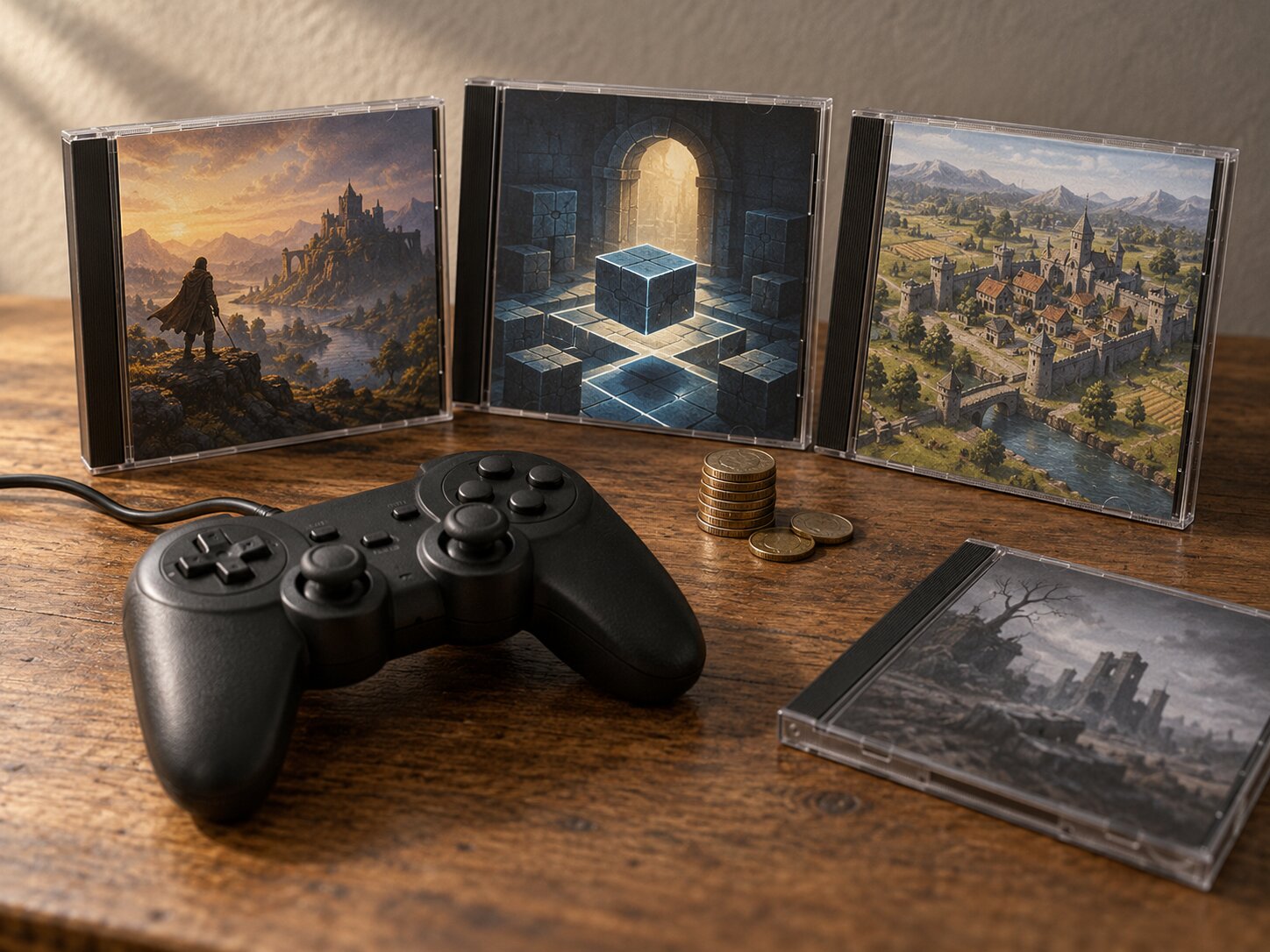
What Makes a Cheap Game Worth Buying?
The first mistake in budget gaming is treating price as the only measure of value.
A better approach considers five factors.
1. Gameplay That Matches Your Interests
A great price cannot compensate for a genre you don't enjoy.
If you prefer strategy games, an inexpensive action platformer might not be the best use of your money.
Begin by identifying what you actually want to play.
2. Meaningful Content
Game length can be useful information, but it doesn't tell the whole story.
A focused five-hour adventure might provide more enjoyment than a repetitive forty-hour game.
Some games are designed to be completed once. Others emphasize replayability, experimentation, competitive play, or creative freedom.
Evaluate the experience, not just the number of hours advertised.
3. Reliable Technical Compatibility
A discounted game is not valuable if it performs poorly or fails to launch.
Check the official operating-system, processor, RAM, graphics, and storage requirements.
This is especially important for players using older laptops and integrated graphics.
4. A Fair Total Price
Consider the complete purchase rather than the advertised base price.
A game may offer a low-priced entry edition while placing important content in paid expansions.
Check whether additional purchases are necessary for the experience you want.
5. Confidence Before Buying
Look for credible gameplay footage, informative user feedback, official specifications, and demonstrations when available.
No single source is perfect, but several consistent pieces of evidence are more useful than one promotional trailer.
Where to Look for Games Under $15
Different storefronts offer different approaches to affordable gaming.
Steam: Broad Selection and Wishlist Tracking
Steam provides a large PC game catalog with discovery tools, wishlists, user reviews, and periodic discounts.
For budget shopping, start with a genre you enjoy and use price filters where available.
Then evaluate individual titles rather than buying whatever appears first.
Useful habits include:
- Saving interesting games to a wishlist.
- Checking recent user feedback.
- Reviewing the game's current system requirements.
- Watching for legitimate promotional prices.
- Comparing the available editions.
Steam's regular refund policy generally covers eligible games requested within 14 days of purchase and played for less than two hours.
Exceptions and additional conditions apply. Refunds should be viewed as purchase protection, not a substitute for researching games beforehand.
GOG: DRM-Free Games and Older PC Favorites
GOG is worth considering if you prefer DRM-free purchases or enjoy exploring older PC releases.
Its catalog includes modern independent games as well as classic titles.
For some players, DRM-free distribution is an important part of purchase value.
GOG currently describes a voluntary refund window of up to 30 days after purchase, including games that have been downloaded and played, subject to the service's stated conditions and protections against abuse.
Do not assume every title is available on GOG or that every old game is automatically compatible with your computer.
itch.io: Smaller Independent Projects
itch.io provides access to independent games, including commercial releases, free projects, and experimental titles.
It can be particularly useful for discovering smaller developers and unusual concepts.
Some creators provide demonstrations or flexible payment arrangements.
However, download quality, maintenance, documentation, and technical support vary between projects.
Review each game's description before spending money.
Humble Bundle: Collections and Promotional Offers
Humble Bundle occasionally offers collections that may represent good value for players interested in multiple games.
But a bundle only saves money if its contents are useful to you.
Before purchasing, verify:
- Which games are included.
- How the games are delivered.
- Whether redemption keys are required.
- Platform and regional restrictions.
- Whether you already own any included games.
- Whether the offer has an expiration date.
A collection of unwanted games is not automatically a better deal than one carefully selected title.
Full-Price Games vs. Discounted Games
A common shopping decision is whether to purchase a smaller game at its regular price or wait for a discount on something larger.
Neither approach is always superior.
Consider this hypothetical comparison.
| Purchase | Example price | Main advantage | Main concern |
|---|---|---|---|
| Small indie game | $9.99 | Focused experience at regular price | Limited scope may not suit everyone |
| Discounted commercial game | $11.99 | Potential access to a larger production | Hardware demands or older design |
| Two inexpensive games | $6.49 each | More variety | Both may be weaker fits |
| Game bundle | $14.99 | Multiple titles in one purchase | Possible unused games |
These prices are examples for explaining the decision, not verified live offers.
The best purchase is the one that provides the most relevant experience within your budget.
Don't Confuse Discount Percentage With Value
A game reduced by 80% sounds appealing.
But the original price doesn't tell you whether the current purchase makes sense.
Ask yourself:
Would I be interested in this game if the discount percentage were hidden?
If the answer is no, the promotion may be influencing your decision more than the actual game.
Remember the Final Checkout Price
If $15 is your absolute spending limit, account for applicable sales tax and any other legitimate checkout charges.
For example, a $14.99 listed price may exceed a strict $15 total budget after tax.
Always evaluate the actual checkout total before confirming the purchase.
How to Compare Two Affordable Games
Suppose two games both appear promising.
One is a short atmospheric platformer. The other is a strategy game with substantial replayability.
Instead of choosing the one with more advertised content, compare what matters to you.
A Practical Comparison
| Question | Game A | Game B |
|---|---|---|
| Does the genre appeal to me? | Strong fit | Moderate fit |
| Will it run on my PC? | Likely, pending verification | Requirements unclear |
| Is a demo available? | Yes | No |
| Is the complete experience included? | Yes | Expansion content sold separately |
| Will I realistically play it soon? | Yes | Probably later |
In this example, Game A may be the better purchase even if Game B offers more theoretical gameplay hours.
This approach reduces impulse purchases and encourages decisions based on personal preferences.
Use a Simple Rating Method
Assign each candidate a score from one to five for:
- Personal interest.
- Hardware compatibility confidence.
- Value at the current price.
- Confidence in the available information.
- Likelihood of playing it soon.
The scores are personal decision aids, not professional review ratings.
If compatibility remains unknown, investigate before purchasing rather than treating a high total score as proof that the game will run.
Games and Genres Worth Investigating
Several types of games can be especially interesting when shopping with a small budget.
These are discovery directions, not claims that particular games currently cost less than $15.
Pixel-Art Adventures
Pixel-art games span platformers, role-playing games, adventures, and strategy titles.
Some offer focused experiences with distinctive artwork and memorable mechanics.
However, pixel art does not automatically guarantee low system requirements.
Check compatibility individually.
Puzzle Games
Puzzle games can provide substantial value through carefully designed challenges.
Look for titles with clear mechanics, well-explained difficulty progression, and gameplay that suits your preferences.
A short but inventive puzzle game may justify its price better than a longer game built around repetition.
Turn-Based Strategy
Turn-based games can be appealing to players who prefer thoughtful decisions over fast reactions.
Some provide substantial replayability.
But complex simulations and large maps can still demand significant hardware resources.
Roguelikes and Roguelites
Run-based games often encourage repeated play through changing environments, encounters, or character possibilities.
They may appeal to players who enjoy learning systems and experimenting with different approaches.
Check whether the game includes permanent progression, how long attempts usually last, and whether its difficulty appeals to you.
Older Commercial Games
Older games sometimes become available at attractive prices.
But age doesn't guarantee compatibility.
Read current information about operating-system support, controller functionality, and any official compatibility improvements.
Avoid These Budget Gaming Mistakes
Buying Only Because Something Is on Sale
A deadline can make a purchase feel urgent.
Better approach: Wishlist the game first and investigate it independently of the promotion.
Ignoring System Requirements
A demanding game remains demanding even when deeply discounted.
Better approach: Compare the official specifications with your computer before purchasing.
Buying Multiple Games You Won't Play
A low price can encourage collecting instead of playing.
Better approach: Prioritize games you intend to start within the next month.
Assuming Longer Means Better
Some games advertise hundreds of hours of content, but that doesn't mean the experience will suit every player.
Better approach: Evaluate the core gameplay loop and the kind of enjoyment it offers.
Overlooking Editions and DLC
A cheap base edition may omit content you expected.
Better approach: Read the edition comparison and expansion descriptions.
Purchasing From Suspicious Key Sellers
Extremely low prices from unfamiliar sellers may involve unclear sourcing, regional restrictions, or problematic redemption arrangements.
Better approach: Buy through established storefronts or sellers authorized by the publisher.
Relying Entirely on Aggregate Scores
Ratings can be useful, but a general approval score does not explain whether a game matches your interests.
Better approach: Read several detailed reviews, including critical feedback, and look for repeated observations.
Check Hardware Requirements Before Buying
Retro Nation focuses on games accessible to everyday players, including those without expensive gaming computers.
That makes hardware compatibility central to a good buying decision.
Integrated Graphics
If your computer uses integrated graphics, identify the exact GPU model.
Do not assume that every Intel or AMD integrated graphics processor has comparable capabilities.
Memory and Storage
Check available RAM and installation space.
Remember that other running applications may also consume memory.
Graphics Features
Some games require particular DirectX, Vulkan, or other graphics features.
Meeting the stated RAM requirement does not compensate for missing graphics capabilities.
Test Before Buying When Possible
An official demo may help you evaluate controls and performance.
However, demo performance is not a guarantee that the full release will behave identically.
When no demo exists, seek trustworthy information about similar hardware configurations.
A bargain that cannot run properly isn't a bargain.
A Simple $15 Buying Strategy
A good budget should make decisions easier, not encourage unnecessary spending.
Option A: Buy One Game You Really Want
Choose this when you have a clearly identified title that matches your interests, hardware, and budget.
You don't need to spend the entire $15.
Option B: Buy Two Smaller Games
Choose this when you want variety and can verify that both games are worthwhile.
Be careful not to buy two mediocre choices simply because both are inexpensive.
Option C: Buy a Bundle
Choose this only when enough included titles interest you to justify the complete price.
Consider whether the additional games provide real value or merely inflate the item count.
Option D: Spend Nothing Today
Sometimes this is the strongest decision.
Try a free demo, explore a legitimate free release, or wait for better information about a game you want.
Your budget remains available for a future purchase.
A useful rule: Never spend money just because you've allocated money for gaming.
The goal is enjoyment, not completing a transaction.
Final Buying Checklist
Before buying a PC game under $15:
- Confirm the actual checkout total fits your budget.
- Make sure the gameplay matches your interests.
- Read the complete edition description.
- Check official hardware requirements.
- Look for an official demo.
- Compare storefront options.
- Read useful positive and negative feedback.
- Verify the seller is legitimate.
- Review applicable refund terms.
- Decide whether you'll realistically play the game soon.
Affordable PC gaming doesn't require chasing every deal.
A small collection of thoughtfully selected games can offer more enjoyment than a large backlog of purchases made because they were inexpensive.
Start with what you enjoy, confirm what your computer can handle, and use your budget where it matters most.
Frequently Asked Questions
Can I find good PC games for under $15?
Yes. Many smaller independent releases, older games, and discounted commercial titles can fit that budget. Prices change, so verify current listings before buying.
Are cheap games usually shorter?
Not necessarily. Price and game length do not have a consistent relationship. Some inexpensive titles offer extensive replayability, while others deliver a shorter, focused experience.
Is it better to buy one game or several?
One game that strongly matches your interests may be better value than multiple weaker choices. Evaluate personal interest, compatibility, and realistic playtime.
Should I wait for a sale?
Waiting can make sense when you're not ready to play immediately and have no urgent reason to purchase. However, future discounts are not guaranteed.
Do refund policies protect every purchase?
No. Refund eligibility depends on the storefront, product, purchase timing, usage, and applicable conditions. Review the policy before buying.
Can a budget PC play most indie games?
There is no universal guarantee. Some indie games are lightweight, while others are technically demanding. Compare each game's requirements with your actual hardware.
Useful Game Stores and Buyer Resources
- Steam - PC game catalog, wishlists, and discounts.
- GOG - DRM-free PC game storefront.
- itch.io - Independent games, demos, and experimental releases.
- Humble Bundle - Promotional collections and bundles.
- Steam Refund Guidance - Official eligibility and refund conditions.
By: Rex Iriarte
Last updated: October 18, 2026
Pricing and Purchase Disclaimer
The $15 budget is a purchasing framework, not a claim that any particular game currently sells for less than $15. Illustrative prices do not represent live store offers. Prices, discounts, regional availability, applicable taxes, refund policies, and product editions may change.
Official GOG refund guidance: https://support.gog.com/hc/en-us/articles/115000487189-GOG-Voluntary-Refund-Policy-Orders
0 comments:
Post a Comment