Know Before You Download
The Steam Deck makes PC gaming portable, but not every PC game behaves the same way on a handheld computer.
A game that works perfectly on a Windows desktop might require different controls, a compatibility layer, or reduced graphics settings on Steam Deck.
Some games may not work at all.
Valve addresses this problem through its Steam Deck compatibility review program.
Games receive labels designed to communicate whether they work properly, require adjustments, or have unresolved compatibility problems.
These labels are useful, but they are not complete performance reviews.
Understanding what each label means helps you make better purchasing decisions, especially if you want enjoyable handheld gaming without spending money on games that may not work as expected.
The Four Compatibility Labels Explained
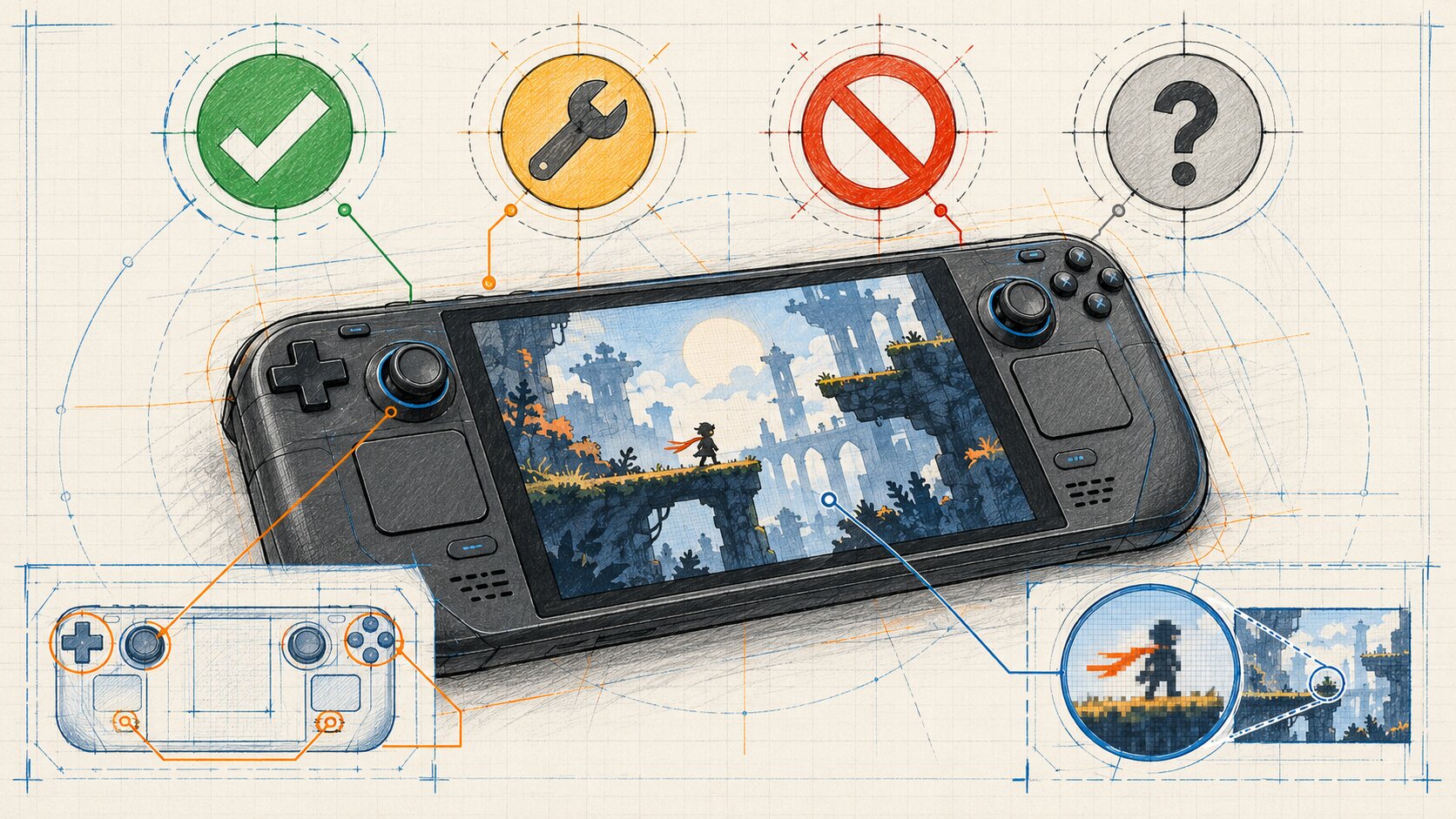
Valve uses four categories to communicate Steam Deck compatibility.
| Label | Meaning | Practical interpretation |
|---|---|---|
| Verified | Meets Valve's compatibility requirements | Designed to work well without manual setup |
| Playable | Works but may require adjustments | Read the compatibility details |
| Unsupported | Currently not functional according to Valve's review | Avoid assuming it will work |
| Unknown | Compatibility review not completed | More investigation is needed |
These are compatibility classifications, not game-quality ratings.
A highly rated game can be Unsupported. A modest indie release can be Verified.
The label describes the expected experience on Steam Deck, not whether the game itself deserves a recommendation.
Verified: Works Out of the Box
Verified is Valve's strongest Steam Deck compatibility classification.
A Verified game has passed the applicable compatibility checks for the handheld.
Valve evaluates controller support, display behavior, accessibility of game interfaces, compatibility requirements, and other practical details.
The intended result is that players can launch and use the game without additional configuration.
For someone who wants a straightforward handheld experience, Verified is the most reassuring label.
However, Verified does not guarantee maximum graphics settings, flawless frame pacing, or identical performance after future game updates.
Playable: Works, but Expect Possible Adjustments
Playable means Valve considers the game functional on Steam Deck, although some manual interaction or configuration may be necessary.
For example, the game might require you to:
- Select a community controller configuration.
- Open the on-screen keyboard manually.
- Use the touchscreen to navigate a launcher.
- Make an adjustment that a Verified game would handle automatically.
These inconveniences can range from minor to significant depending on your preferences.
A game that requires occasional touchscreen interaction may be perfectly acceptable to one player.
Another player may prefer games that operate entirely through physical controls.
The important step is reading the explanation attached to the Playable rating.
Playable does not automatically mean poor performance.
Unsupported: Currently Not Considered Functional
An Unsupported rating indicates that Valve's review found a compatibility problem preventing the game from functioning as required on Steam Deck.
Possible causes include:
- Unsupported anti-cheat technology.
- Middleware incompatibilities.
- Missing functionality in Proton.
- Technical problems involving Steam Deck hardware or software.
Unsupported does not necessarily mean that the game is poorly designed.
A title might work well on a conventional Windows computer while encountering an issue specific to SteamOS or Proton.
Valve continues developing compatibility features, so classifications may change.
Nevertheless, purchasing an Unsupported title specifically for Steam Deck carries greater uncertainty.
Do not treat reports of unofficial workarounds as a guarantee that the game will work for you.
Unknown: Not Yet Reviewed
Unknown is perhaps the easiest category to misunderstand.
It does not mean that Valve determined the game will not work.
Instead, the compatibility review has not been completed.
The game might function correctly, require adjustments, or encounter major problems.
The label simply does not establish the answer.
This distinction is particularly important when discovering smaller indie games.
Some titles may remain Unknown because the verification process has not yet reached them.
An Unknown label should prompt further investigation rather than immediate rejection.
What Valve Checks Before Verifying a Game
Valve's compatibility program considers several aspects of the handheld experience.
Controller Input
The game should support Steam Deck's physical controls in a way that provides access to its functionality.
Players should not need to connect an external keyboard or mouse for ordinary interaction.
On-screen control prompts should match the input methods being used.
This matters because PC games sometimes assume a conventional keyboard and mouse.
A game might be technically functional while remaining uncomfortable to control on a handheld.
Display and Readability
Steam Deck uses a relatively small screen compared with most desktop monitors.
A game's interface must be readable at the device's supported display resolutions.
Valve's requirements include appropriate resolution support and legible interface text.
Tiny inventory descriptions or menu buttons can significantly affect handheld usability.
This is one reason a game may receive Playable instead of Verified.
Seamless Operation
Verified games should avoid unnecessary compatibility warnings and inaccessible launcher requirements.
If the game includes a launcher, it should be navigable with controller input.
Having to repeatedly switch to touchscreen controls can prevent a game from meeting the stricter Verified requirements.
System Compatibility
Many Windows games run on Steam Deck through Proton, Valve's compatibility technology.
For verification, the game and required supporting technologies must function appropriately.
This includes relevant middleware and anti-cheat systems.
A game can have suitable graphics requirements but still encounter a compatibility problem that prevents normal operation.
Default Performance
Valve's current Steamworks compatibility documentation establishes a playable default performance target of 30 frames per second at 800p for Steam Deck.
This is a verification criterion, not a promise that every game will hold that frame rate in every situation.
Different environments, updates, and gameplay workloads can create performance variations.
Does Verified Guarantee Good Performance?
No compatibility badge should be interpreted as a universal performance guarantee.
Verified indicates that a game satisfies Valve's defined compatibility checks.
It does not mean:
- The game always achieves 60 FPS.
- Every graphics setting can be maximized.
- Battery life will be identical across games.
- Every scene maintains perfectly consistent frame pacing.
- Future updates cannot introduce problems.
- The game will satisfy every player's performance expectations.
A Verified game may still offer a very different experience from another Verified title.
One might prioritize high visual detail at a lower frame rate.
Another might use simpler graphics and provide smoother performance.
Performance Expectations Are Personal
For slower-paced games, some players are comfortable with relatively modest frame rates.
Fast action games may feel better when controls respond more consistently.
Frame pacing also matters.
A game that frequently stutters can feel less responsive than one maintaining a stable lower frame rate.
Compatibility labels provide a starting point, but they do not replace performance information relevant to the specific game.
Battery Life Is Another Consideration
Steam Deck performance and battery consumption can vary considerably between games.
A visually demanding release may consume more power than a lightweight 2D adventure.
The Verified label does not promise a particular battery duration.
For portable gaming, battery life can be an important part of deciding which game to play.
What Proton Means for Game Compatibility
Steam Deck uses SteamOS, a Linux-based operating system.
Many PC games are developed primarily for Windows.
Proton helps make supported Windows games run on SteamOS without requiring developers to produce separate native Linux versions.
This expands the range of games available on Steam Deck.
However, Proton does not guarantee universal compatibility.
Why Some Games Encounter Problems
A game may rely on:
- Particular Windows system functionality.
- Anti-cheat implementations.
- Unsupported middleware.
- Specialized launchers.
- Video or audio components with compatibility limitations.
If those components do not work correctly, the game may fail to launch or operate as intended.
Anti-Cheat Can Be a Major Factor
Online multiplayer games sometimes rely on anti-cheat technologies that do not support the required SteamOS or Proton environment.
A game's graphics may run adequately while its authentication or anti-cheat systems prevent normal multiplayer access.
This is why minimum GPU requirements alone cannot establish Steam Deck compatibility.
Proton Updates Can Change Results
Valve continues improving Proton and SteamOS.
Developers may also update their games to address compatibility issues.
Consequently, an older compatibility report may no longer describe the latest available version.
Use the current official rating and available recent evidence when making a purchase decision.
How to Check a Game Before Buying
A Steam Deck compatibility label should be the beginning of your evaluation, not the end.
Step 1: Find the Official Rating
Open the game's Steam store page or its entry in your Steam Deck library.
Look for the Steam Deck compatibility information.
Record whether it is Verified, Playable, Unsupported, or Unknown.
Step 2: Read the Compatibility Details
If the game is Playable or Unsupported, open the additional explanation.
Valve provides information about which verification requirements were not met.
This helps distinguish a minor usability inconvenience from a more serious technical limitation.
Step 3: Consider Your Control Preferences
Would you accept occasionally using the touchscreen?
Are you comfortable changing controller layouts?
Do you primarily play with the Steam Deck's built-in controls, or do you sometimes connect external peripherals?
A Playable rating may be entirely suitable if its limitations do not interfere with your intended use.
Step 4: Investigate Performance Separately
Look for recent, relevant performance information.
When reviewing demonstrations, pay attention to:
- Game version.
- Steam Deck model.
- Graphics settings.
- Resolution.
- Frame-rate consistency.
- Battery and power settings.
- Whether modifications were necessary.
Do not assume that an isolated demonstration guarantees identical results.
Step 5: Check the Purchase Terms
Before spending money, review the current storefront refund rules and relevant product requirements.
Do not rely on a refund as your only compatibility strategy.
A little investigation before purchasing is usually more convenient than resolving a disappointing purchase afterward.
Steam Deck LCD vs. OLED Compatibility
Valve states that games tested through the Deck Verified program retain their compatibility ratings across both the LCD and OLED Steam Deck models.
The compatibility badge therefore does not identify separate ratings for those two official models.
This is useful when comparing store listings and reading compatibility information.
However, the same classification should not be interpreted as proof of identical:
- Battery life.
- Display characteristics.
- Thermal behavior.
- Frame-rate results in every situation.
The rating describes compatibility rather than an exhaustive comparison between hardware revisions.
It also should not be transferred automatically to unrelated handheld PCs running different operating systems.
Other devices may have different hardware capabilities and compatibility conditions.
Common Compatibility Mistakes
Assuming Verified Means Maximum Graphics Quality
Verified primarily communicates that the game meets Valve's compatibility and usability criteria.
Better approach: Evaluate graphics settings and performance separately.
Treating Playable as a Negative Review
A Playable game may function well apart from a minor input or launcher requirement.
Better approach: Read the stated limitation before rejecting it.
Assuming Unknown Means Unsupported
Unknown means Valve has not completed the compatibility review.
Better approach: Seek recent information before deciding.
Assuming Unsupported Can Always Be Fixed Manually
Community workarounds can sometimes help, but they are not universal or guaranteed.
Better approach: Purchase for Steam Deck only when the compatibility risk is acceptable.
Ignoring Game Updates
Updates can improve or disrupt compatibility.
Better approach: Check recent reports when buying a game with a history of technical problems.
Confusing Steam Deck Ratings With General PC Requirements
A game may have modest desktop requirements while encountering a SteamOS-specific incompatibility.
Better approach: Evaluate both hardware demands and platform compatibility.
A Practical Buying Decision Guide
Use the following framework.
| Situation | Recommended approach |
|---|---|
| Verified and interested in the game | Usually a reasonable candidate, with normal performance checks |
| Playable with minor input inconvenience | Consider buying if the required adjustments are acceptable |
| Playable with a problematic launcher | Investigate whether the issue affects your preferred play style |
| Unsupported | Avoid assuming compatibility; verify any recent changes |
| Unknown | Research recent Steam Deck-specific evidence |
| Verified but technically demanding | Check frame pacing, graphics settings, and battery expectations |
For Casual Handheld Players
Start with Verified games.
This reduces the likelihood of needing additional configuration.
For Players Comfortable With Adjustments
Playable games can expand your available library.
Focus on understanding the specific changes required.
For Players Exploring Indie Releases
Do not automatically dismiss Unknown games.
Smaller titles may work well without having completed Valve's review process.
However, avoid presenting them as compatible without credible evidence.
Final Recommendations
Steam Deck compatibility labels are useful because they turn a complex technical question into a manageable starting point.
Verified means the game meets Valve's current requirements for a straightforward handheld experience.
Playable means the game works but may require adjustments.
Unsupported indicates that Valve currently identifies a blocking compatibility problem.
Unknown means the review has not been completed.
The most important lesson is that these classifications describe compatibility, not overall game quality or guaranteed performance.
Before buying, check the rating, read any specific limitations, and evaluate whether the game suits your performance expectations.
A well-chosen Playable game may be more enjoyable than a Verified title you don't particularly want to play.
The goal is not to collect green badges. It's to find games that work for you.
Frequently Asked Questions
Is Steam Deck Verified better than Playable?
Verified indicates a more seamless default experience. Playable games may still work very well but require manual interaction or configuration.
Does Verified guarantee 60 FPS?
No. Valve's verification requirements do not promise 60 FPS. Its current default performance criterion is a playable 30 FPS at 800p.
Can Unsupported games ever work on Steam Deck?
Compatibility may change through updates or workarounds, but an Unsupported rating means Valve currently identifies a blocking problem. Do not assume that an unofficial solution will work.
Does Unknown mean the game is incompatible?
No. Unknown indicates that Valve has not completed its compatibility review.
Do LCD and OLED Steam Deck models use the same compatibility ratings?
Yes. Valve states that reviewed titles retain their Steam Deck compatibility ratings across LCD and OLED models.
Can game updates change compatibility?
Yes. Game updates, SteamOS updates, and Proton improvements may affect compatibility, and Valve can reassess results.
Official Steam Deck Resources
- Steam Deck Verified - Valve's explanation of the four compatibility labels.
- Steamworks Compatibility Documentation - Technical verification and performance criteria.
- Steam Deck Software Support - SteamOS troubleshooting and compatibility information.
By: Alex Brown
Last updated: October 18, 2026
Compatibility and Performance Note
Steam Deck compatibility ratings reflect Valve's published review criteria and available testing information. They are not guarantees of particular frame rates, battery duration, graphics quality, or uninterrupted compatibility after future updates. This article does not represent independent hardware benchmarking.
0 comments:
Post a Comment